Yocket, 2023
Streamlining Yocket’s Document Management for 500k+ Study Abroad Aspirants
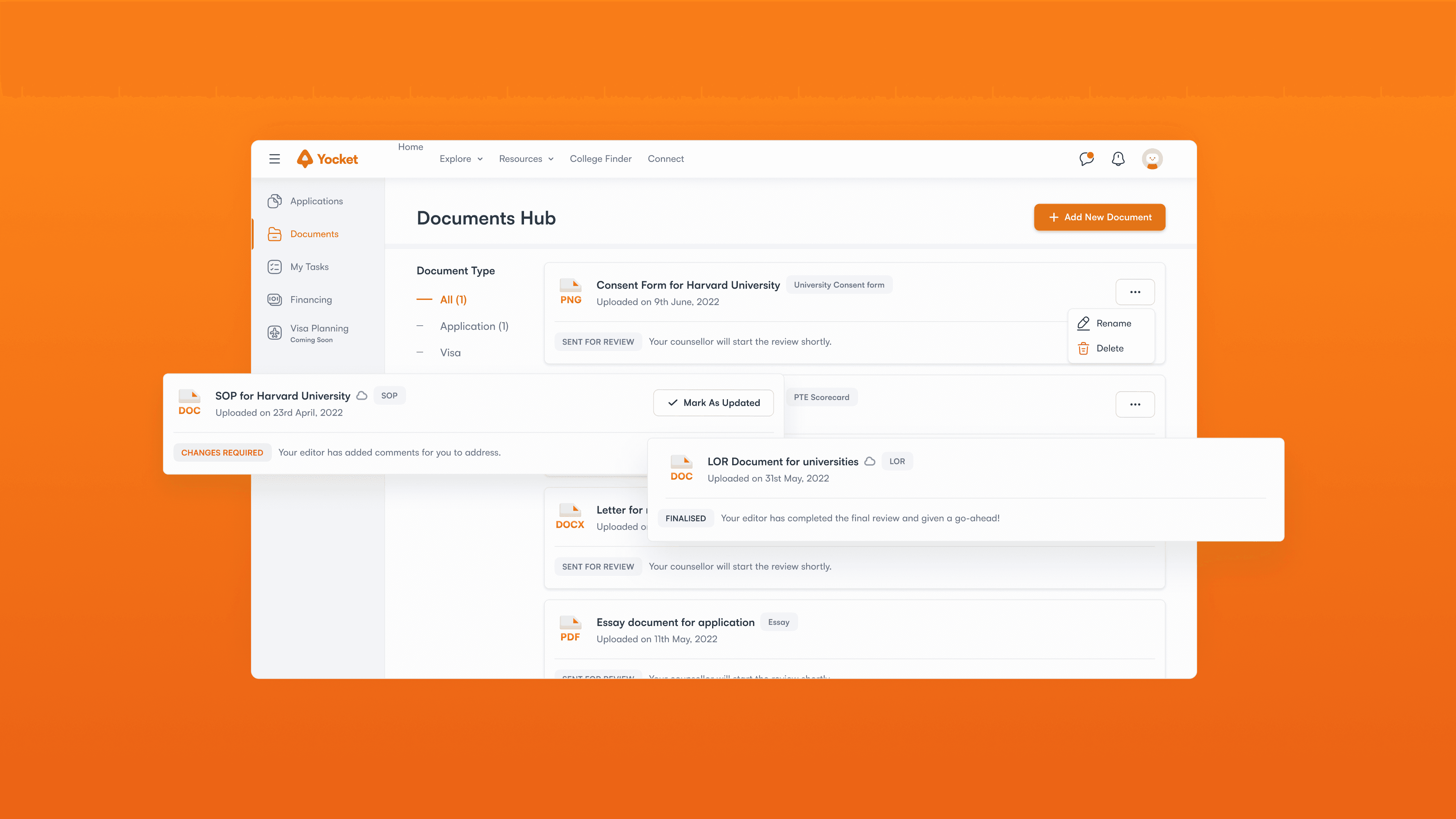
Team
Design Lead
Product Designer (me)
Product manager
My role
Research
Visual Design
Duration
1 month
Background
What is Yocket?
Yocket is an Ed-tech company that provides a platform to help students who are interested in studying abroad.
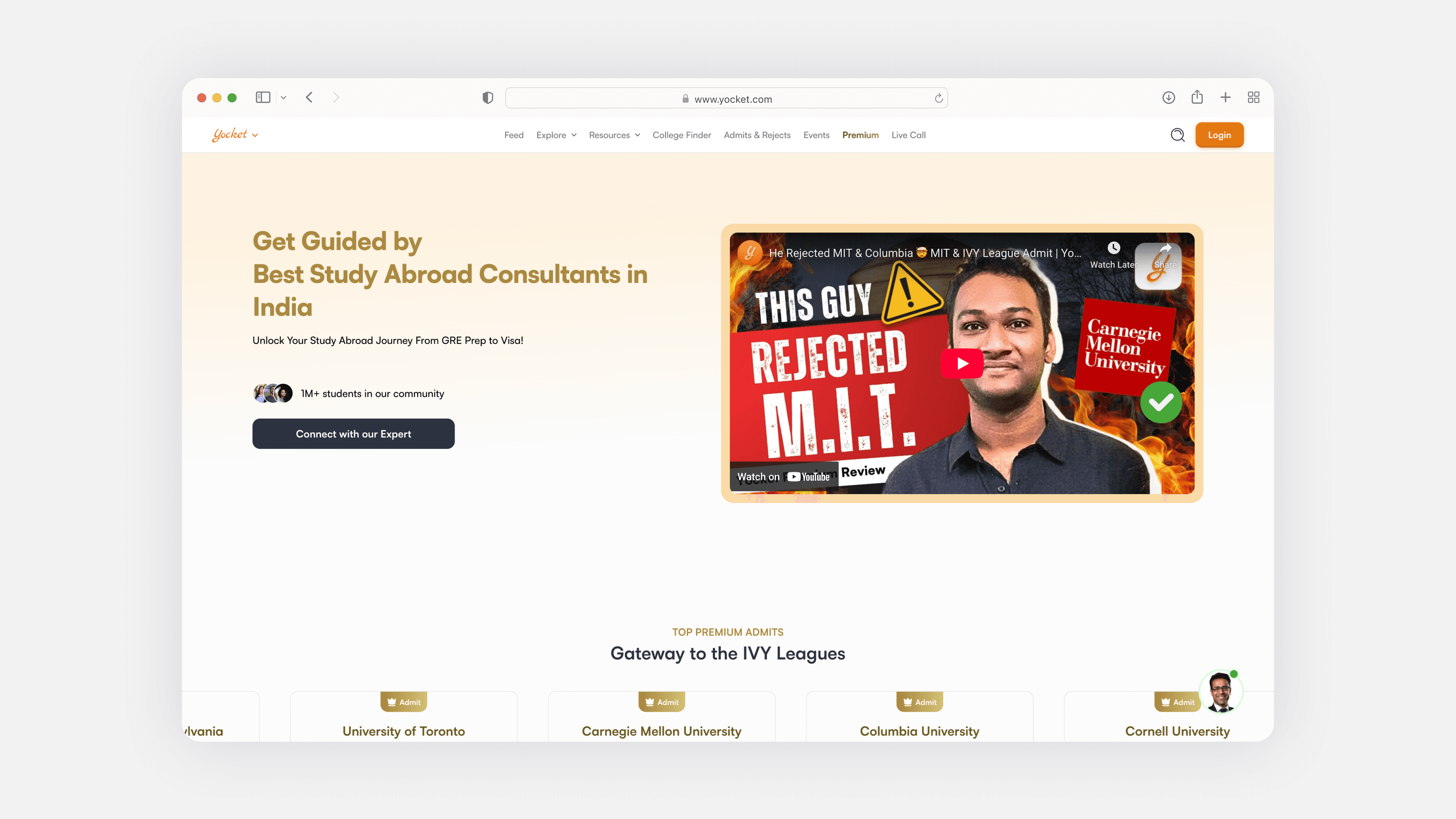
what was happening
There was no single place where students could clearly see the status of their documents
Students uploaded documents, but most follow-ups happened over phone calls, WhatsApp messages, or text conversations.
Editors also relied on these external channels to request changes or give updates, which made the process inefficient and hard to scale.
Design goals
What we wanted to improve for students, editors, and the business
At a business level, the goal was to increase adoption of the Documents Hub and improve efficiency for editors handling large volumes of documents.

Student
Make it clear whether their documents were uploaded successfully
Reduce confusion around what changes are required and when
Remove the need to rely on calls or messages for basic status checks

Editor
Provide a single place to track all assigned documents
Make it easier to manage multiple students
Reduce repetitive follow-ups and status-related communication
What editors said
Editors shared that managing documents for multiple students was overwhelming.
There was no centralized dashboard to track document status across students. Important context was often buried in chat messages, and prioritization was difficult. Editors spent a significant amount of time on coordination instead of actual review work.
What Students said
Students were unsure if they had uploaded the right document or if the editor had seen it
There was no clear feedback loop after submission, which led to anxiety and repeated follow-ups. Students also struggled to understand what changes were required and whether their updates were acknowledged.
inspiration
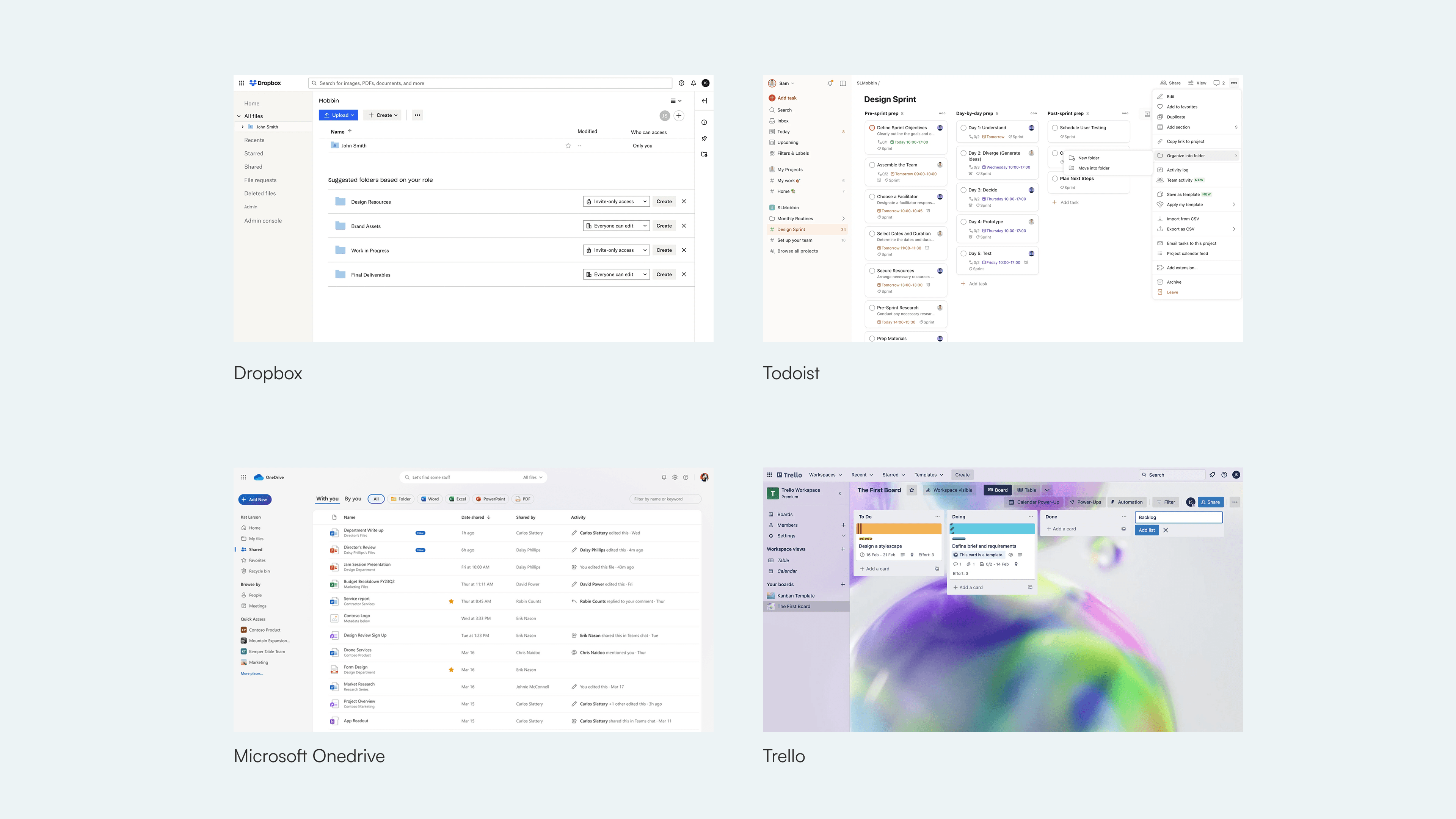
Looking at how other products handle document uploads
and reviews
Before designing solutions, I studied how established document management and collaboration tools handle uploads, reviews, and status communication. Although these products were not built for the study abroad domain, they provided useful patterns around document states, progress visibility, and scalable workflows. This helped ground the design decisions in familiar mental models.
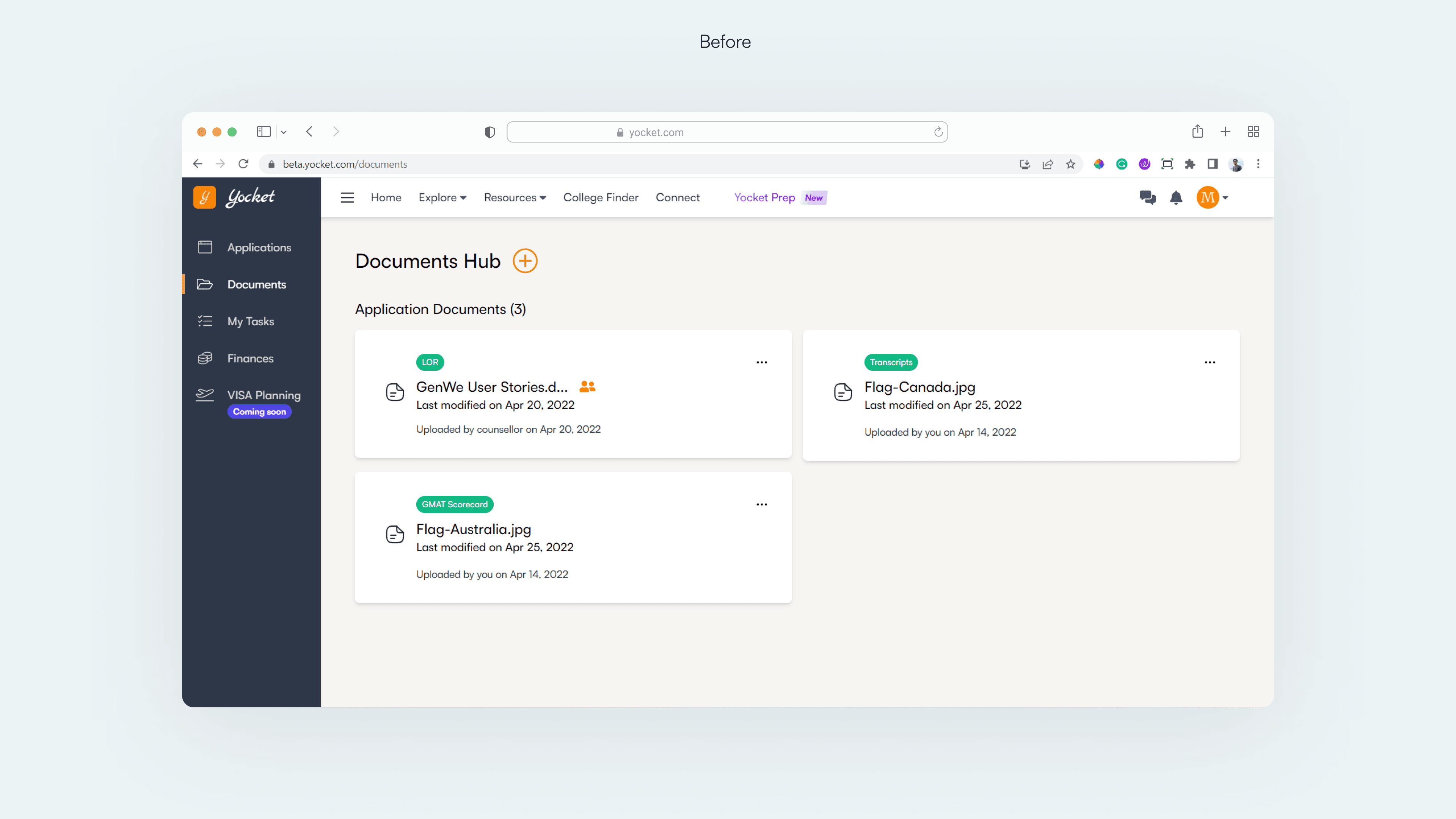
The solution: Main screen
Before: The documents screen was difficult to understand and use
The existing main screen lacked clear hierarchy. Document types, statuses, and actions competed for attention, making it hard for users to quickly understand what needed to be done. As the number of documents increased, the experience became increasingly difficult to scan and manage.
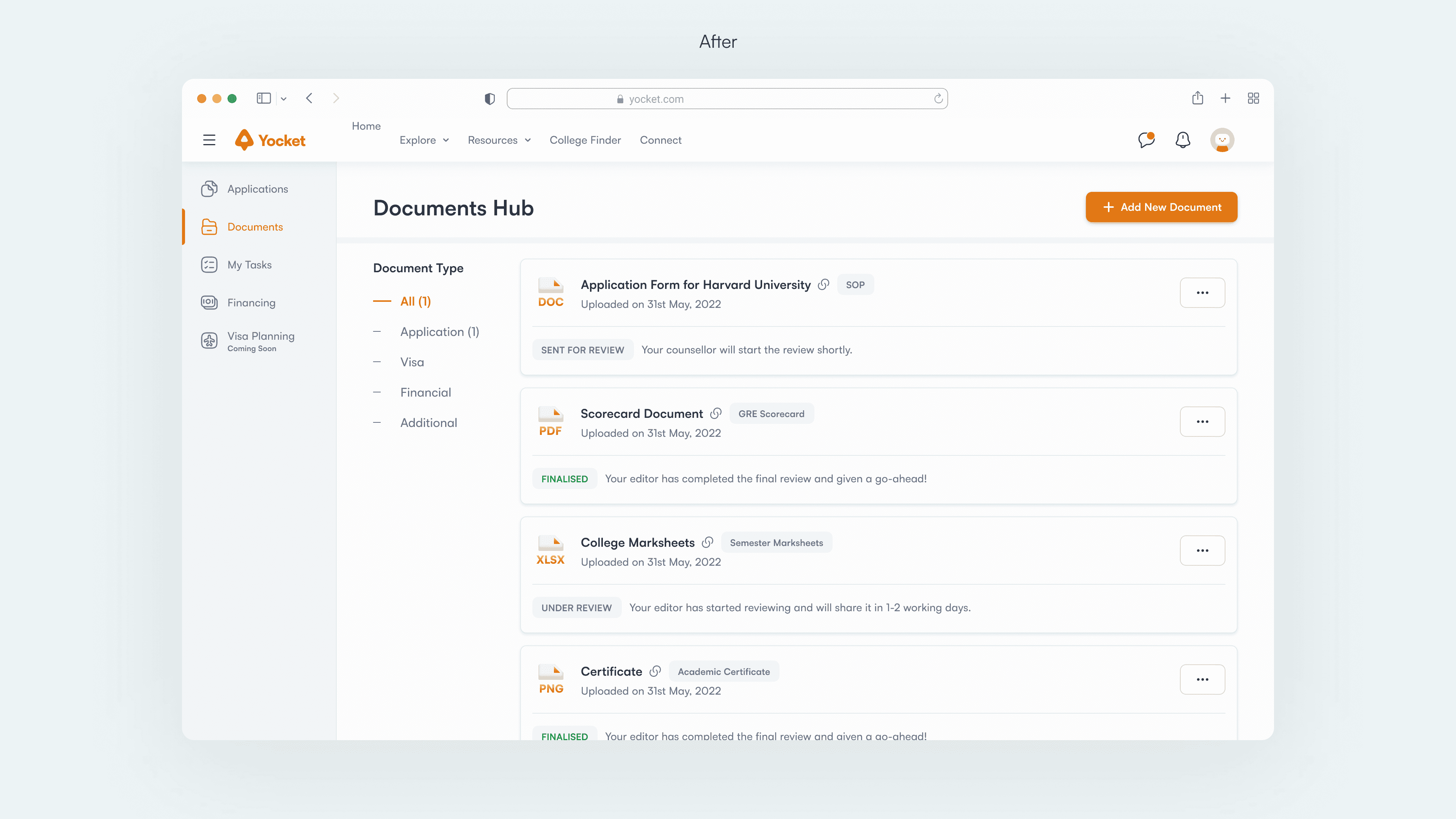
After: The documents screen is structured, scannable, and easy to act on
Before designing solutions, I studied how established document management and collaboration tools handle uploads, reviews, and status communication. Although these products were not built for the study abroad domain, they provided useful patterns around document states, progress visibility, and scalable workflows. This helped ground the design decisions in familiar mental models.
The solution: Uploading a Document
Before: Uploading a document felt cluttered and error-prone
Multiple actions were placed on the main page with no clear hierarchy
Users had to decide document type, input method, and file details all at once
Uploading via file or link was not clearly differentiated
Limited feedback during upload made it unclear if the action was successful
The flow felt cluttered, especially as more documents were added
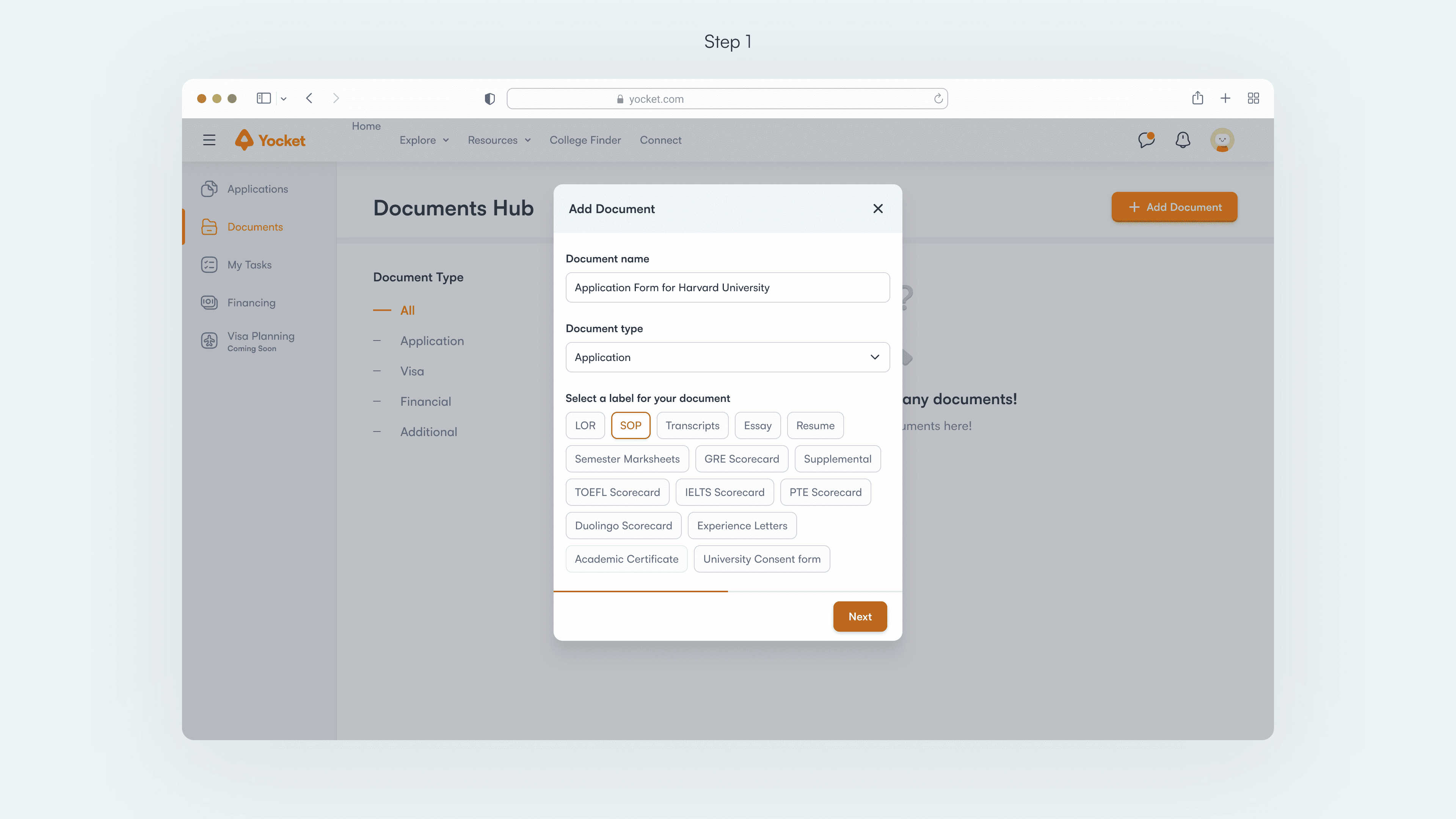
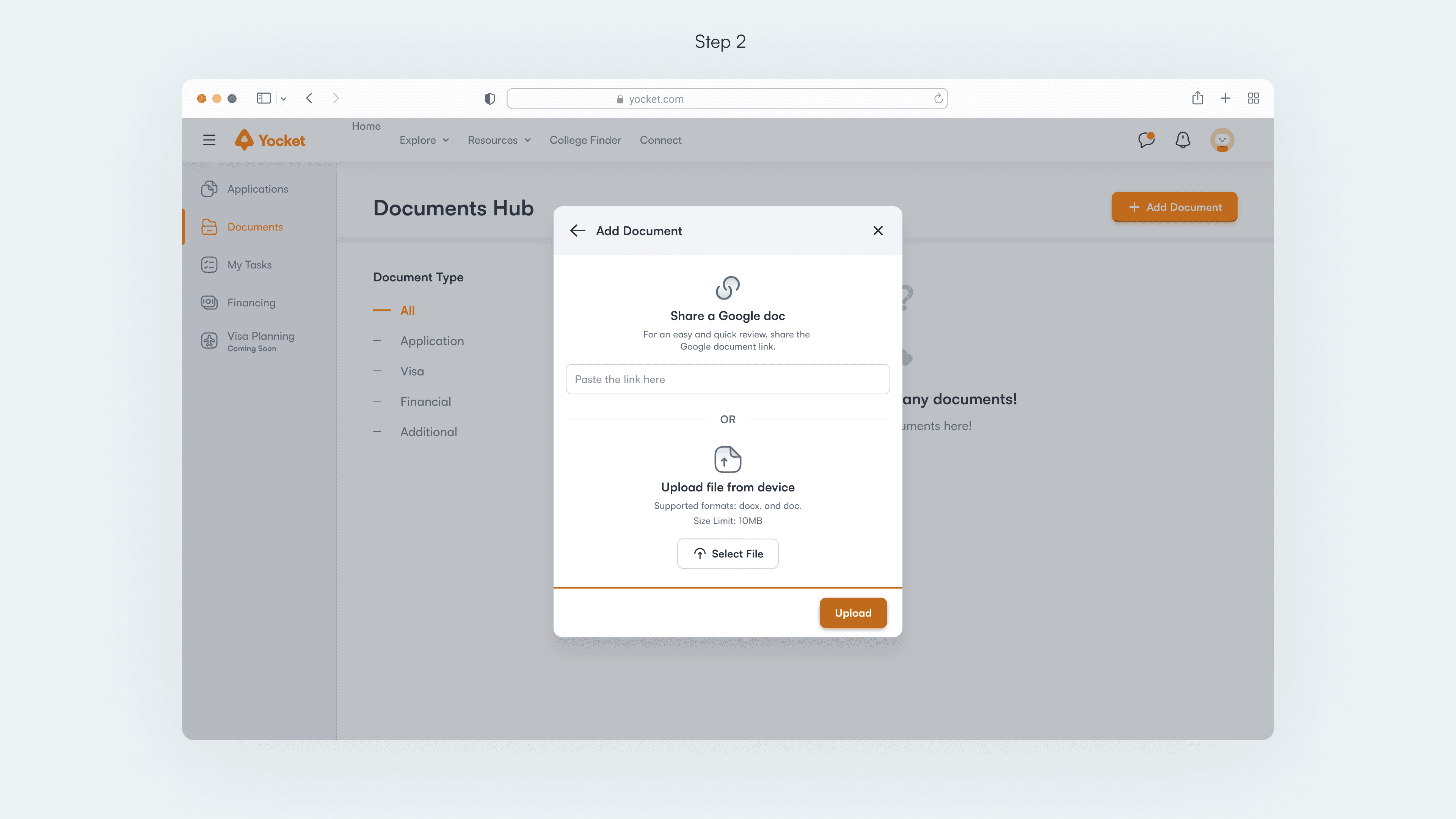
After: Uploading a document is guided step by step
The upload flow is broken into focused, sequential modal
Each step asks for one clear decision at a time
Document type and labels are selected before uploading, reducing mistakes
Upload options (link or file) are clearly separated and explained
Clear affordances and feedback make the process predictable and reassuring
The solution: Document cards
Objectives of the document card
Improve information hierarchy so key details are easy to scan
Clearly communicate the document’s current status and next step
Ensure the design scales as the number of documents grows
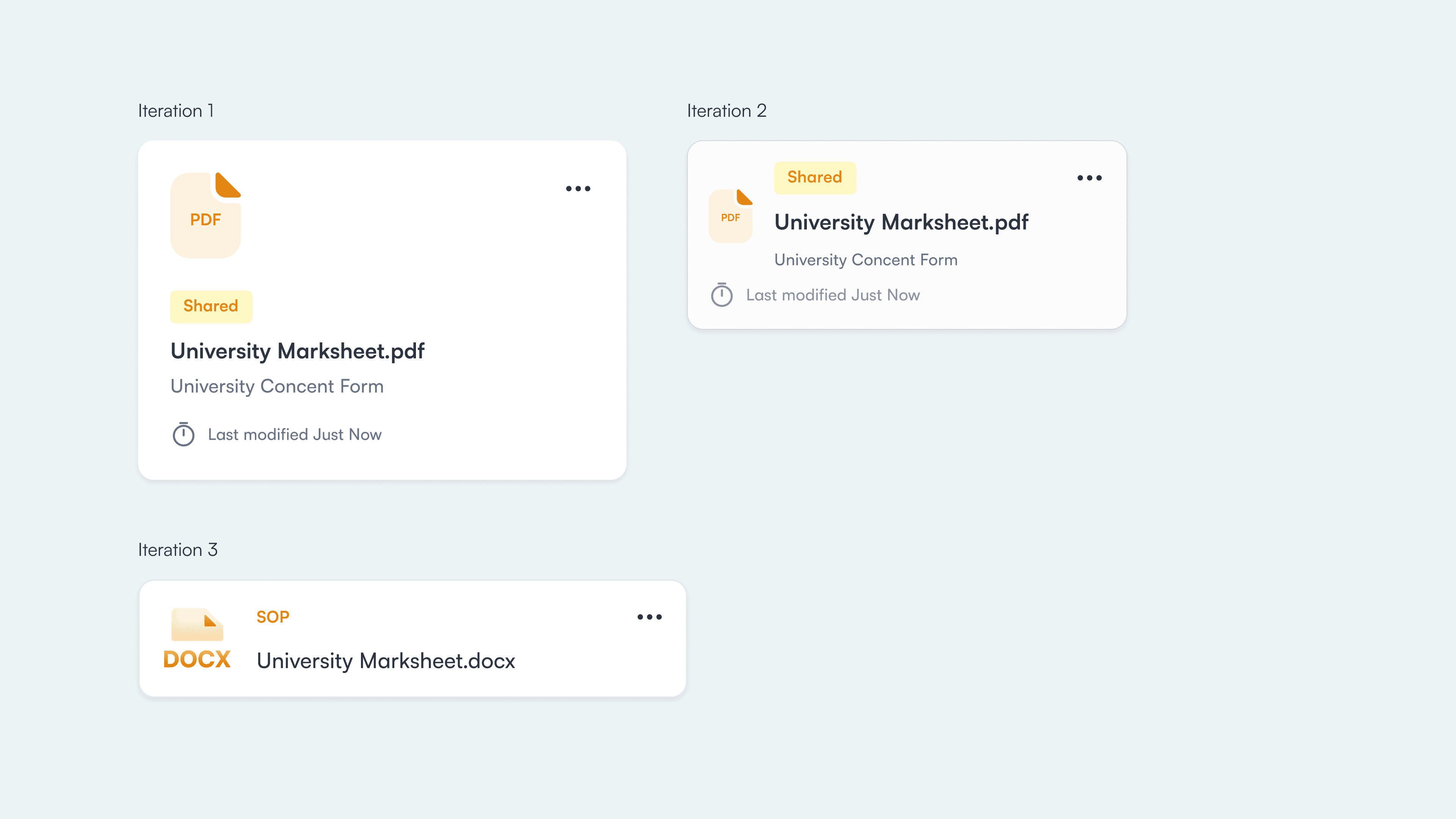
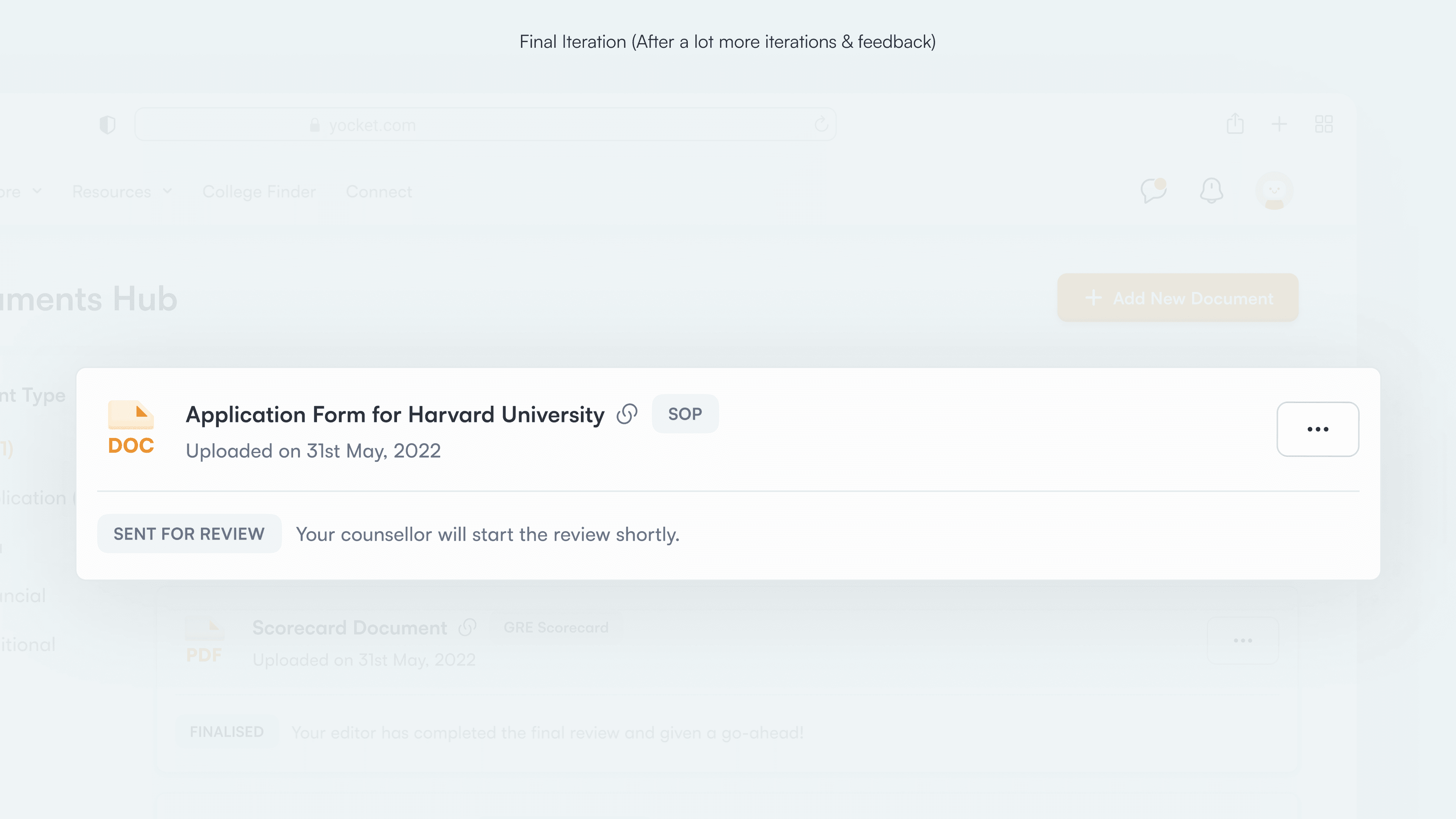
Final iteration
Clear hierarchy between document name, type, and review status
Status labels placed prominently to communicate progress at a glance
Supporting text explains what the status means and what happens next
Actions are tucked away, keeping the card focused and scannable
Design remains consistent and readable even with a long list of documents
The solution: review stages
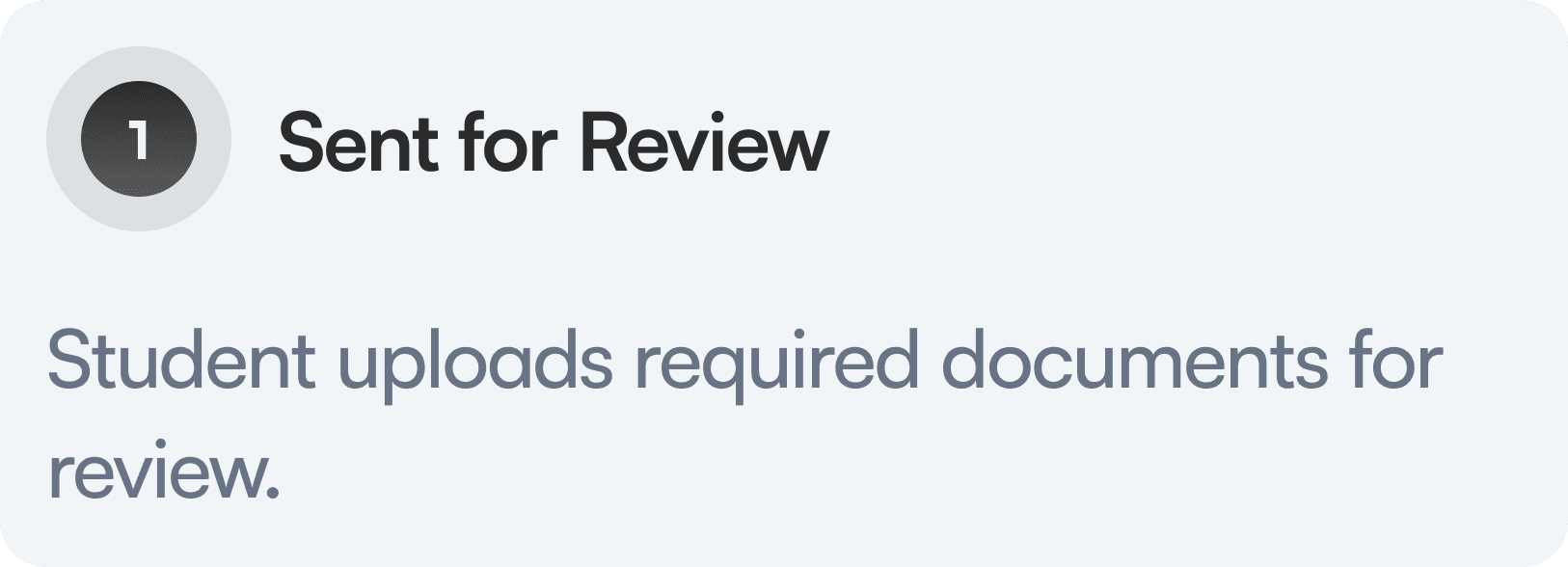
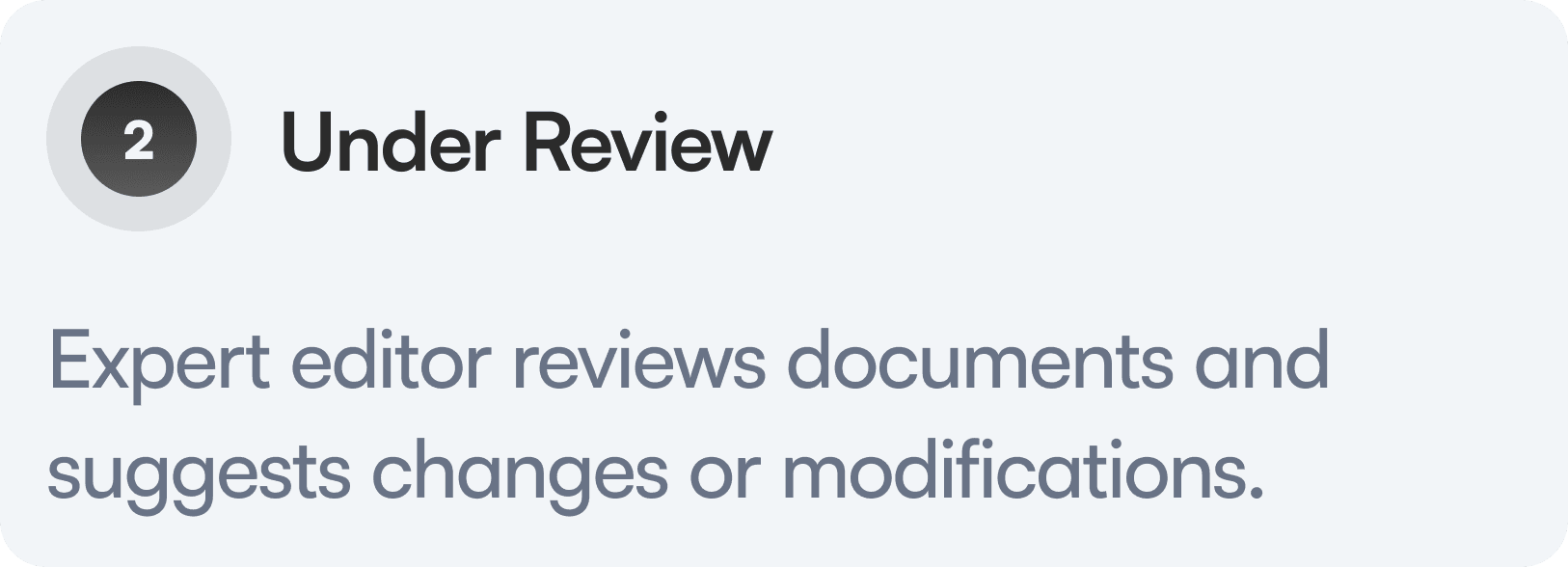
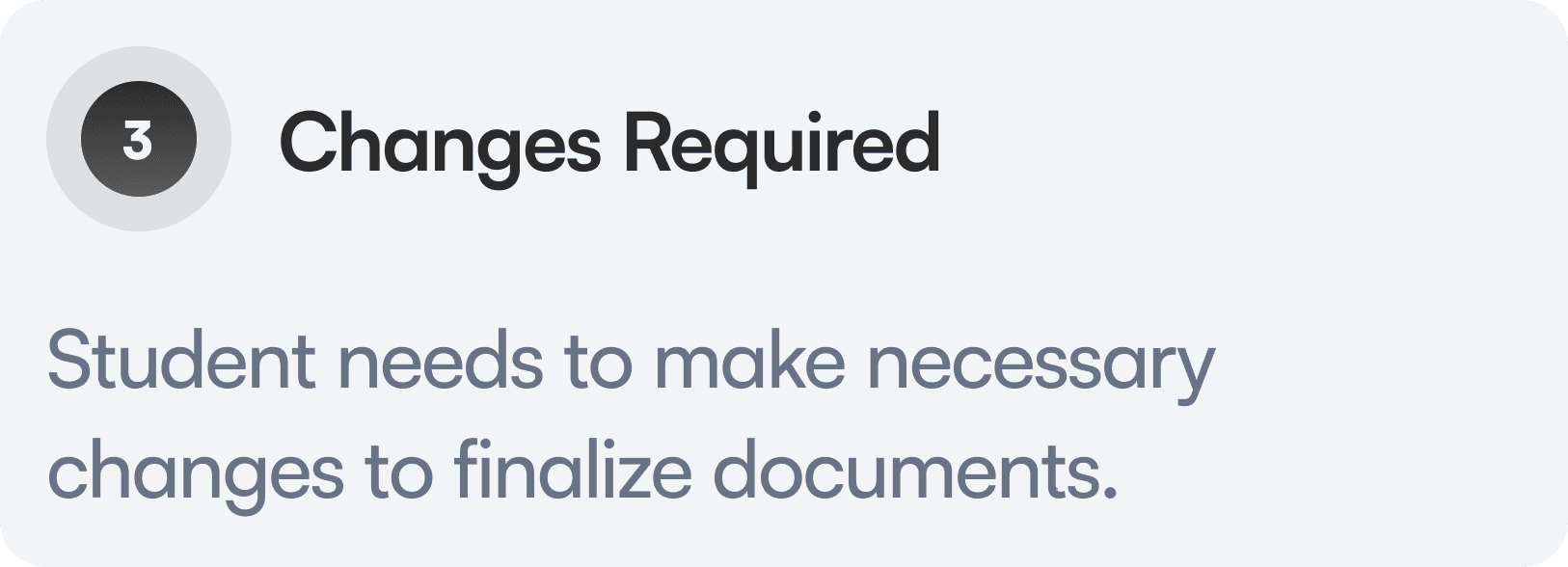
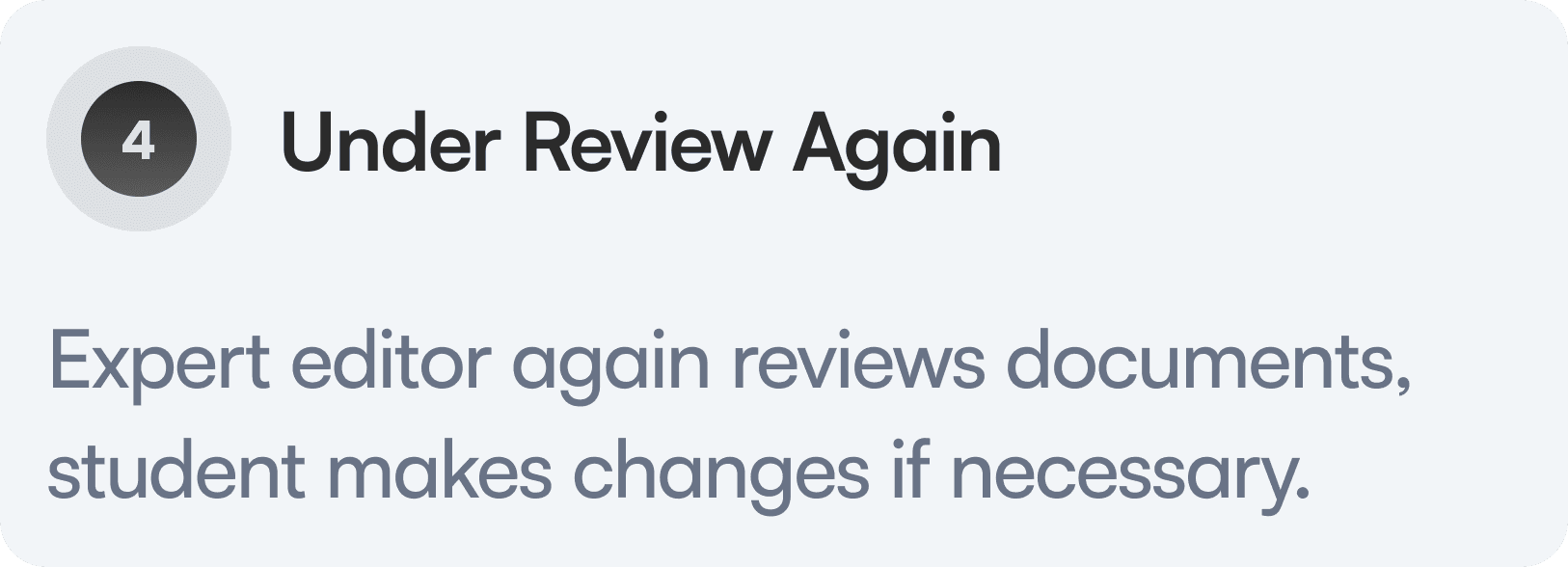
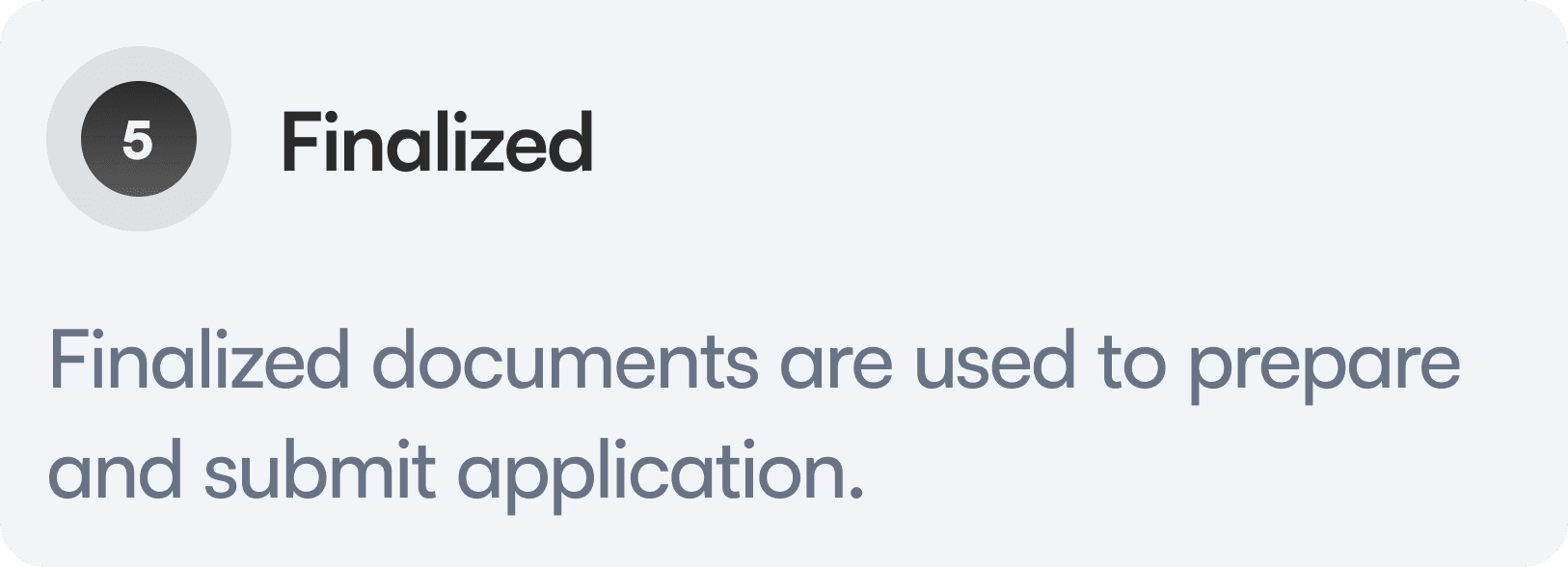
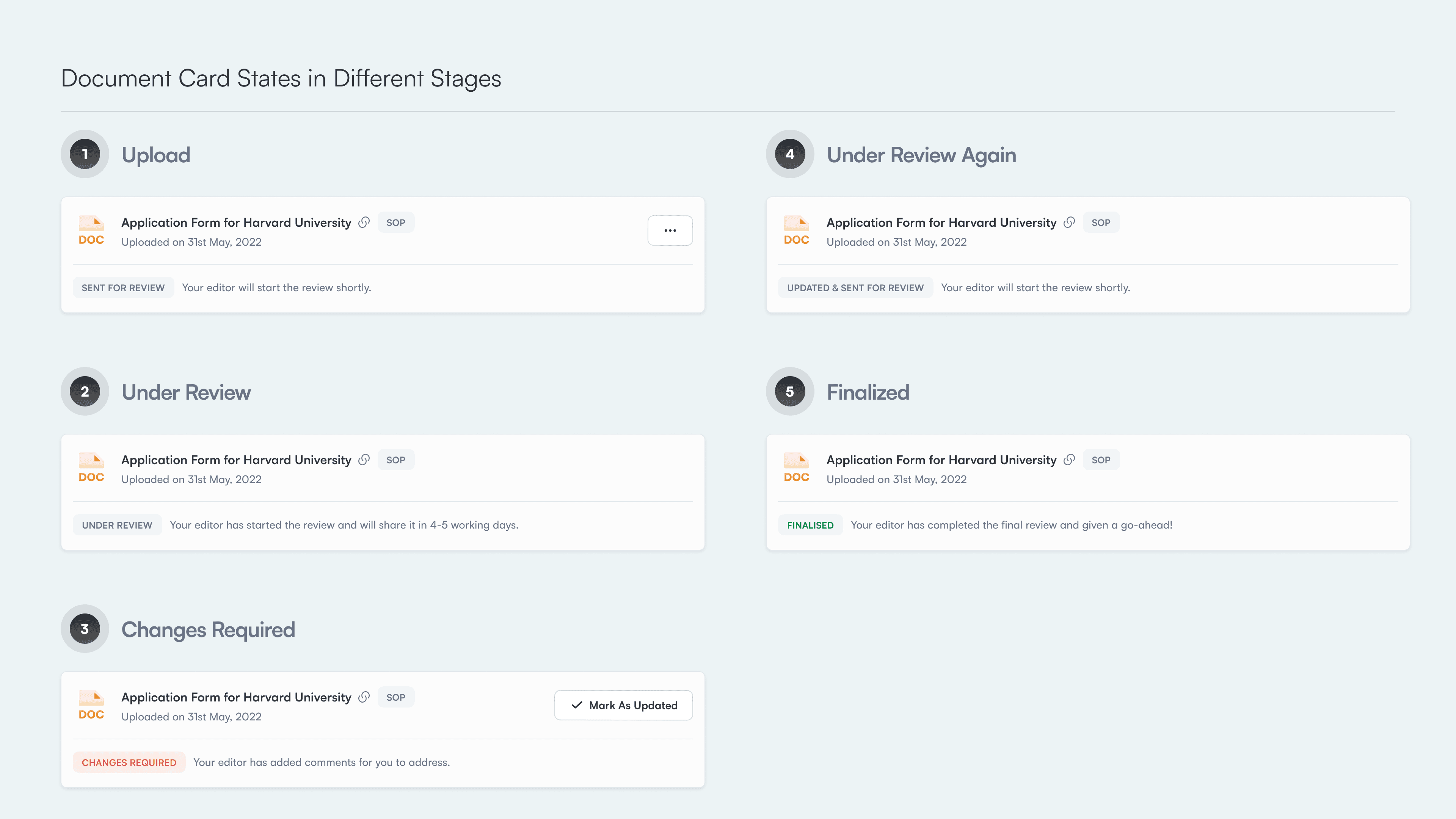
Stages of the document review process
Card states for each stage
Each stage of the review is represented as a clear card state, so users can understand progress without opening the document or checking messages.
Impact
The redesign led to clearer workflows, higher adoption, and smoother collaboration between students and editors.
500% ↑
More students actively used the Documents Hub as the primary place to upload, track, and manage documents instead of relying on chats or external tools.
75% CSAT
Clear statuses and predictable review stages reduced confusion and improved overall satisfaction with the review experience.
Faster turnaround
Editors could quickly understand document state and next action, while students spent less time guessing what to do next or following up unnecessarily.
Conclusion
Reflections and takeaways
This project involved rethinking both the student and editor experience end to end. These were the key learnings.
Visual hierarchy is not just visual polish
This project reinforced how hierarchy directly impacts comprehension and speed.
Collaboration shapes better systems
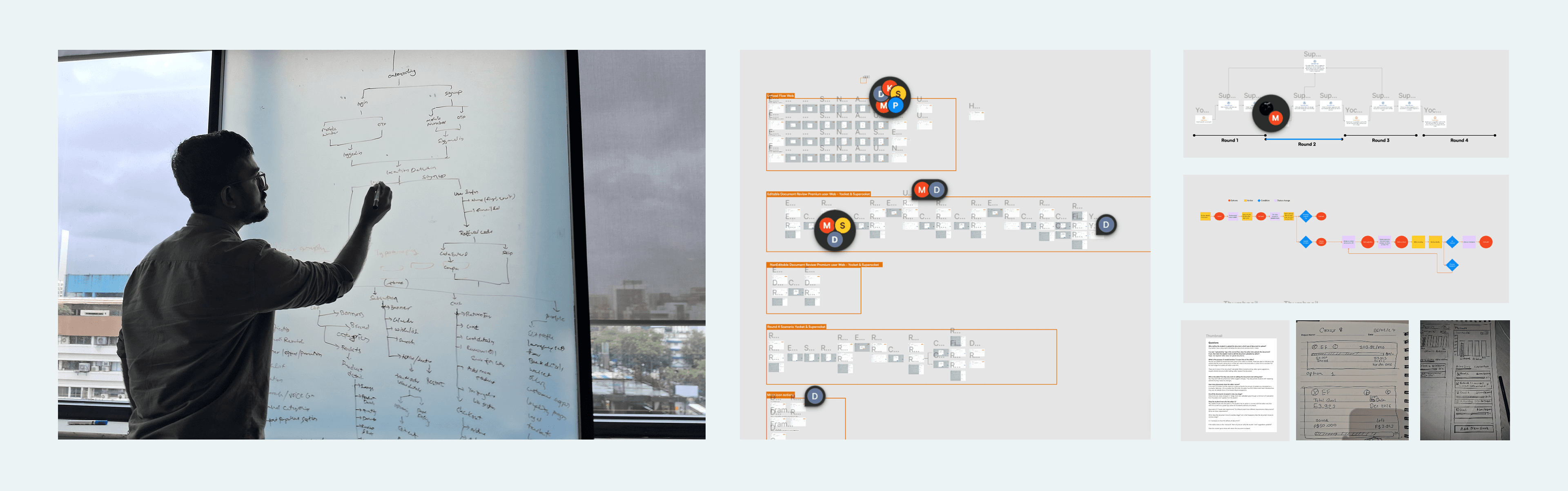
Working closely with editors, counsellors, and product stakeholders helped surface edge cases early.
Using data for guiding design decisions
Review states, drop-offs, and usage patterns helped prioritize what to simplify and what to surface more clearly. T